> ## Documentation Index
> Fetch the complete documentation index at: https://magicpatterns.mintlify.site/docs/llms.txt
> Use this file to discover all available pages before exploring further.
# Detaching Components
> Detach components from your Design System to create one-off customizations
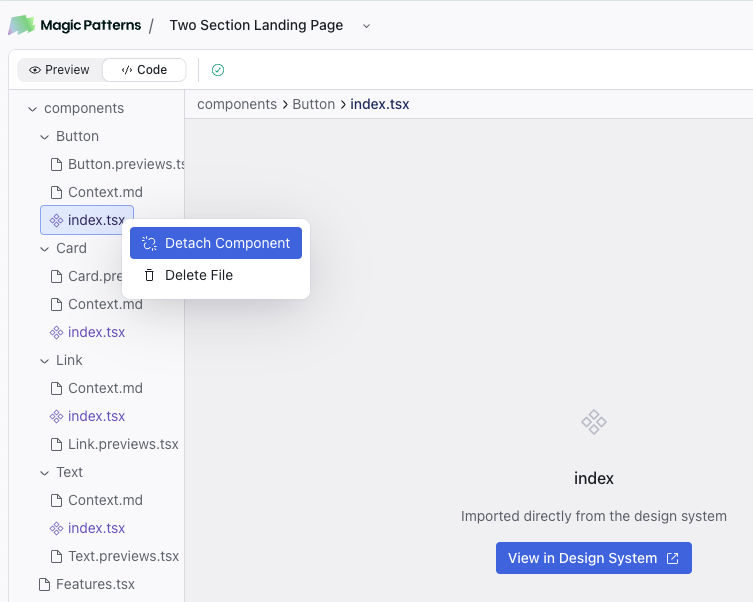
## Detach Components Tutorial
Use the "detach components" option sparingly when you need one-off
customizations that do not need to sync with the main design system.
While we recommend editing components directly to keep your design system consistent, there may be cases where you want more flexibility. For those situations, you can enable a preference to automatically detach components when adding them from a library. This setting can be found under Settings > [Preferences](https://www.magicpatterns.com/settings#preferences) > Automatically Detach Components.
Detaching gives you a raw instance of the component, allowing the AI to modify specific parts. However, it also breaks the link to the original component, so updates to the library version will not carry over.
Think of your components as the "lego bricks" of your app. You might use detach when:
1. You want the AI to edit the component directly
2. You are ok with the component not syncing with the main design system
3. You need to link screens together in the canvas (components are not currently supported in prototyping mode)
In most instances, you likely might be better off editing the instance of the component directly.