> ## Documentation Index
> Fetch the complete documentation index at: https://magicpatterns.mintlify.site/docs/llms.txt
> Use this file to discover all available pages before exploring further.
# EmailJS
> Learn how to integrate EmailJS to send emails directly from your Magic Patterns design
## Introduction to EmailJS
EmailJS
{` `}lets you send emails directly from client-side code. You can create
dynamic templates and trigger emails with just a few lines of JavaScript.
## Step by Step Tutorial
This tutorial walks you through setting up EmailJS to send emails directly from your Magic Patterns design with no database required.
Create an EmailJS account and connect your email service.
 Create a free EmailJS account.
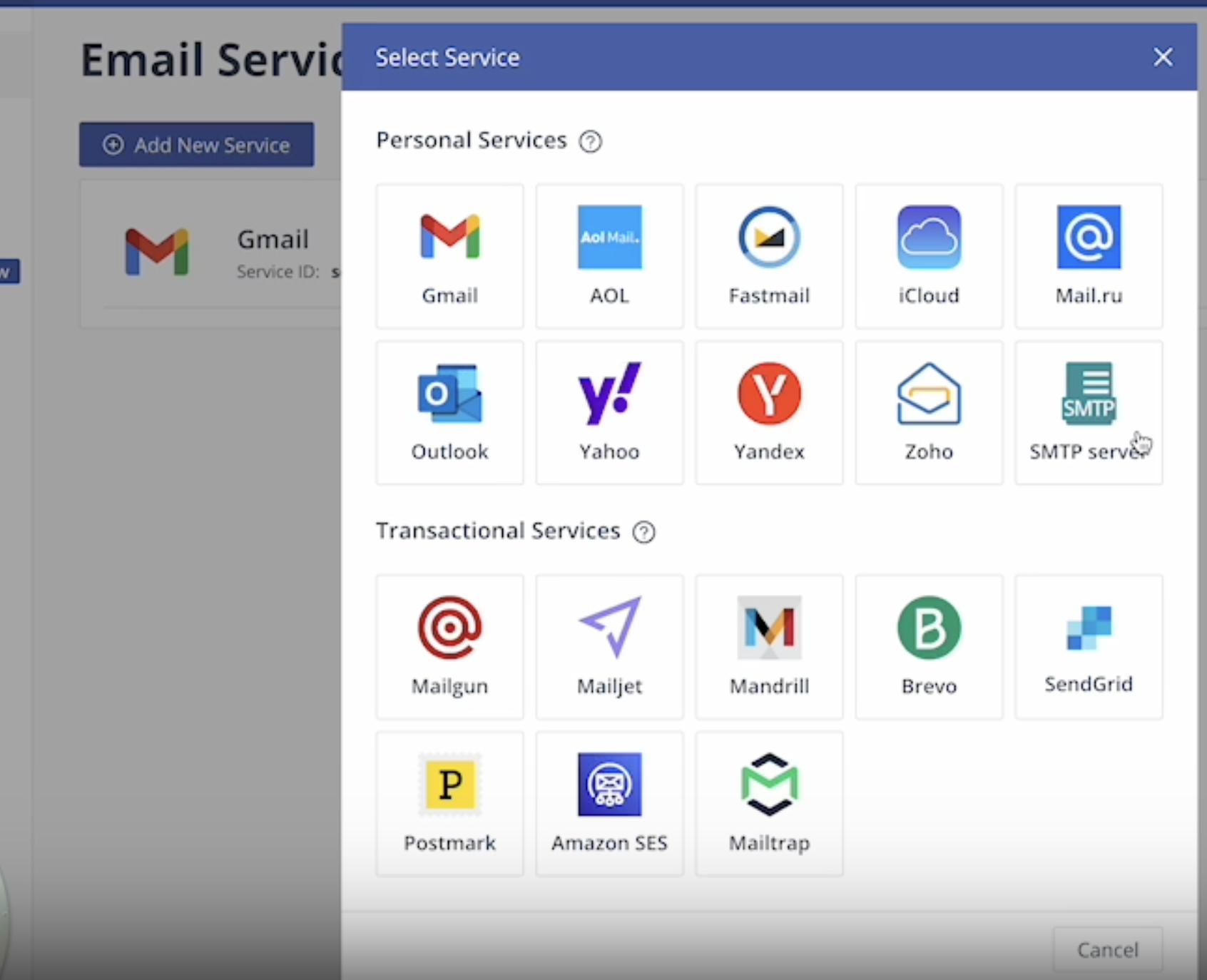
Navigate to Email Services and click *Add New Service*.
Choose from services like Gmail, Outlook, or a custom SMTP server.
Create a free EmailJS account.
Navigate to Email Services and click *Add New Service*.
Choose from services like Gmail, Outlook, or a custom SMTP server.
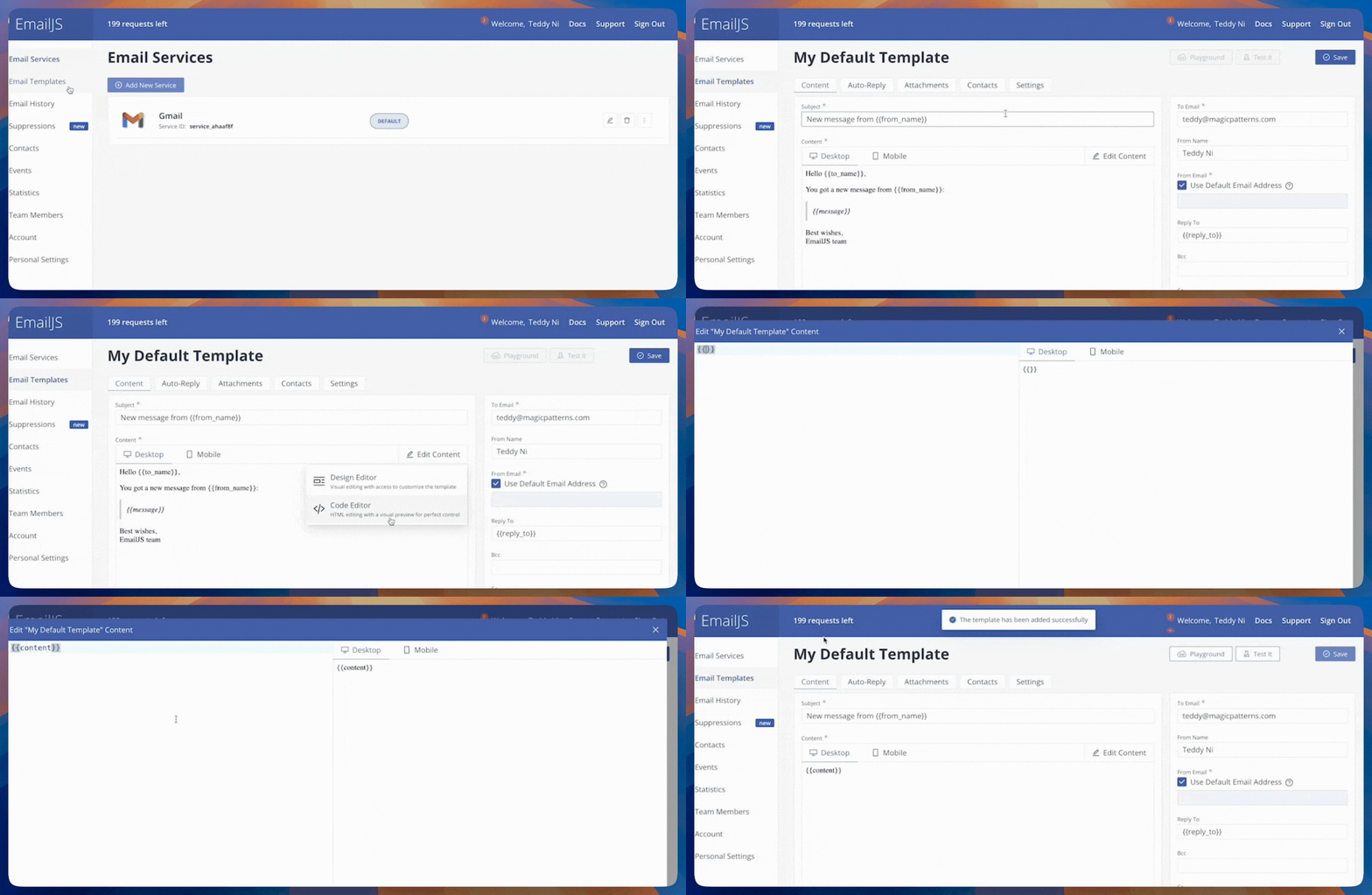 Click Edit Content and then Code Editor. We recommend replacing the body of the message with the following code, which is a placeholder that will be replaced with the content of the email:
```
{{content}}
```
Ask Magic Patterns to design an email template to customize the look and feel of your emails.
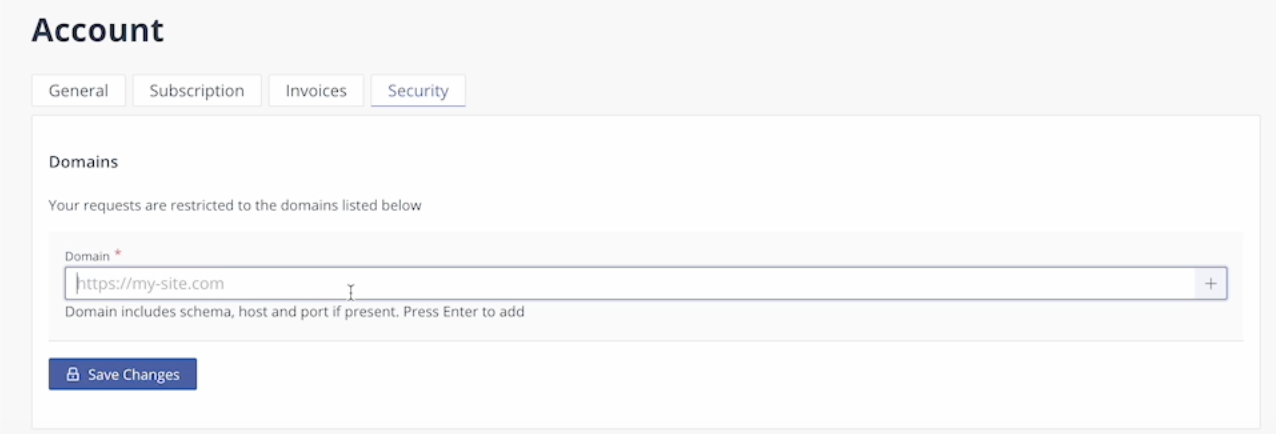
Go to *Account → Security* and add an approved domain for email sending (e.g. yourdomain.com).
Click Edit Content and then Code Editor. We recommend replacing the body of the message with the following code, which is a placeholder that will be replaced with the content of the email:
```
{{content}}
```
Ask Magic Patterns to design an email template to customize the look and feel of your emails.
Go to *Account → Security* and add an approved domain for email sending (e.g. yourdomain.com).
 * **EmailJS Public Key**: can be found under *Account → API Keys*.
* **Service ID**: can be found under *Email Services*.
* **Template ID**: can be found under *Email Templates → Settings*.
Use the Select tool to click on your call to action button if applicable. Then, enter the following prompt:
```
Implement the "Try Beta" email sign up form using EmailJS to send an email.
EmailJS Public Key: {{emailjs_public_key}}
Service ID: {{service_id}}
Template ID: {{template_id}}
Inside my email template, it just takes a body with the parameter "{{content}}". Please just send me the user inputted email.
```
## FAQ
EmailJS' Free plan offers 200 monthly emails a month.
You can design your own on Magic Patterns or use a open-source library like React Email with templates.
Please visit the EmailJS documentation for more information.
* **EmailJS Public Key**: can be found under *Account → API Keys*.
* **Service ID**: can be found under *Email Services*.
* **Template ID**: can be found under *Email Templates → Settings*.
Use the Select tool to click on your call to action button if applicable. Then, enter the following prompt:
```
Implement the "Try Beta" email sign up form using EmailJS to send an email.
EmailJS Public Key: {{emailjs_public_key}}
Service ID: {{service_id}}
Template ID: {{template_id}}
Inside my email template, it just takes a body with the parameter "{{content}}". Please just send me the user inputted email.
```
## FAQ
EmailJS' Free plan offers 200 monthly emails a month.
You can design your own on Magic Patterns or use a open-source library like React Email with templates.
Please visit the EmailJS documentation for more information.